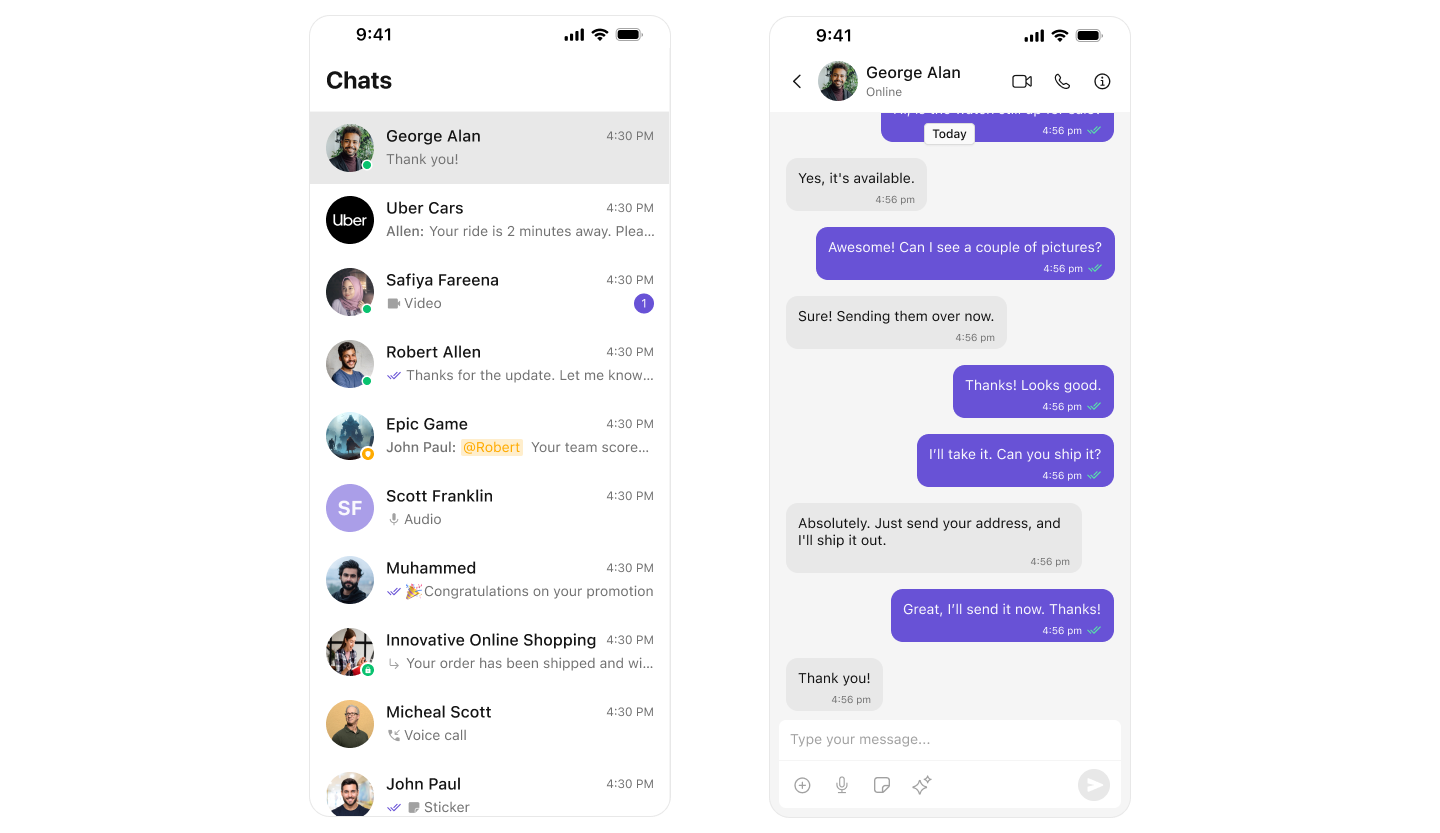
The CometChat iOS UI Kit provides pre-built chat components with theming support, one-on-one and group messaging, and full customization capabilities.

Prerequisites

Before starting, ensure you have:
  • Xcode 16+ installed on your Mac
  • iOS 13.0+ deployment target
  • Swift 5.0+
  • A CometChat account with your App ID, Auth Key, and Region
Get your credentials from the CometChat Dashboard under QuickStart or API & Auth Keys section.

Step 1: Create iOS Project

Open Xcode and create a new project:
  1. File → New → Project → iOS App
  2. Enter your Product Name and Bundle Identifier
  3. Interface: Storyboard
  4. Language: Swift
  5. Click Create

Step 2: Install SDK

  1. Open Terminal and navigate to your project folder:
cd /path/to/your/project
  1. Create a Podfile:
pod init
  1. Open the Podfile and add CometChat dependencies:
platform :ios, '13.0'
use_frameworks!

target 'YourApp' do
  pod 'CometChatUIKitSwift', '5.1.7'
  pod 'CometChatCallsSDK', '4.2.2'  # Optional: for voice/video calls
end
  1. Install the pods:
pod install
  1. Open the .xcworkspace file (not .xcodeproj):
open YourApp.xcworkspace
If pod install fails, try: pod install --repo-update

Step 3: Configure Permissions

Add the following keys to your Info.plist file to enable camera, microphone, and photo library access:

<key>NSCameraUsageDescription</key>
<string>Camera access for capturing photos and videos</string>

<key>NSMicrophoneUsageDescription</key>
<string>Microphone access for voice and video calls</string>

<key>NSPhotoLibraryUsageDescription</key>
<string>Photo library access to share images</string>

<key>NSPhotoLibraryAddUsageDescription</key>
<string>Save photos and videos to your library</string>
Also, in Build Settings, disable User Script Sandboxing to enable collaborative features like whiteboard and document sharing.

Step 4: Initialize and Login

Replace the contents of your SceneDelegate.swift with the following code:
import UIKit
import CometChatUIKitSwift

class SceneDelegate: UIResponder, UIWindowSceneDelegate {
    
    var window: UIWindow?
    
    func scene(_ scene: UIScene, willConnectTo session: UISceneSession, options connectionOptions: UIScene.ConnectionOptions) {
        guard let windowScene = (scene as? UIWindowScene) else { return }
        
        // 1. Configure CometChat UI Kit
        let settings = UIKitSettings()
            .set(appID: "YOUR_APP_ID")           // Replace with your App ID
            .set(authKey: "YOUR_AUTH_KEY")       // Replace with your Auth Key
            .set(region: "YOUR_REGION")          // "us" or "eu"
            .subscribePresenceForAllUsers()
            .build()
        
        // 2. Initialize CometChat
        CometChatUIKit.init(uiKitSettings: settings) { result in
            switch result {
            case .success:
                print("✅ CometChat initialized successfully")
                self.loginUser(windowScene: windowScene)
                
            case .failure(let error):
                print("❌ Initialization failed: \(error.localizedDescription)")
            }
        }
    }
    
    private func loginUser(windowScene: UIWindowScene) {
        // Use a test user ID or your own user ID
        let uid = "cometchat-uid-1"
        
        CometChatUIKit.login(uid: uid) { result in
            switch result {
            case .success(let user):
                print("✅ Logged in as: \(user.name ?? uid)")
                DispatchQueue.main.async {
                    self.showConversations(windowScene: windowScene)
                }
                
            case .onError(let error):
                print("❌ Login failed: \(error.description)")
                
            @unknown default:
                break
            }
        }
    }
    
    private func showConversations(windowScene: UIWindowScene) {
        let conversations = CometChatConversations()
        
        // Handle conversation tap - open messages
        conversations.set(onItemClick: { [weak self] conversation, _ in
            self?.openMessages(for: conversation)
        })
        
        let navigationController = UINavigationController(rootViewController: conversations)
        
        window = UIWindow(windowScene: windowScene)
        window?.rootViewController = navigationController
        window?.makeKeyAndVisible()
    }
    
    private func openMessages(for conversation: Conversation) {
        let messages = CometChatMessages()
        
        if let user = conversation.conversationWith as? User {
            messages.set(user: user)
        } else if let group = conversation.conversationWith as? Group {
            messages.set(group: group)
        }
        
        if let nav = window?.rootViewController as? UINavigationController {
            nav.pushViewController(messages, animated: true)
        }
    }
}
Security Note: Use Auth Key only for development and testing. In production, use Auth Tokens generated from your backend server.

Step 5: Run Your App

Build and run your app (⌘ + R). You should see these messages in the console:
✅ CometChat initialized successfully
✅ Logged in as: cometchat-uid-1
Your app will display the conversations list. Tap any conversation to open the chat screen.

Test Users

CometChat provides pre-created test users for development:
User IDDescription
cometchat-uid-1Test User 1
cometchat-uid-2Test User 2
cometchat-uid-3Test User 3
cometchat-uid-4Test User 4
cometchat-uid-5Test User 5

Chat Experience Options

Choose the layout that best fits your app:

Option 1: Conversation List + Messages

Standard chat app layout with a conversation list that opens message views.
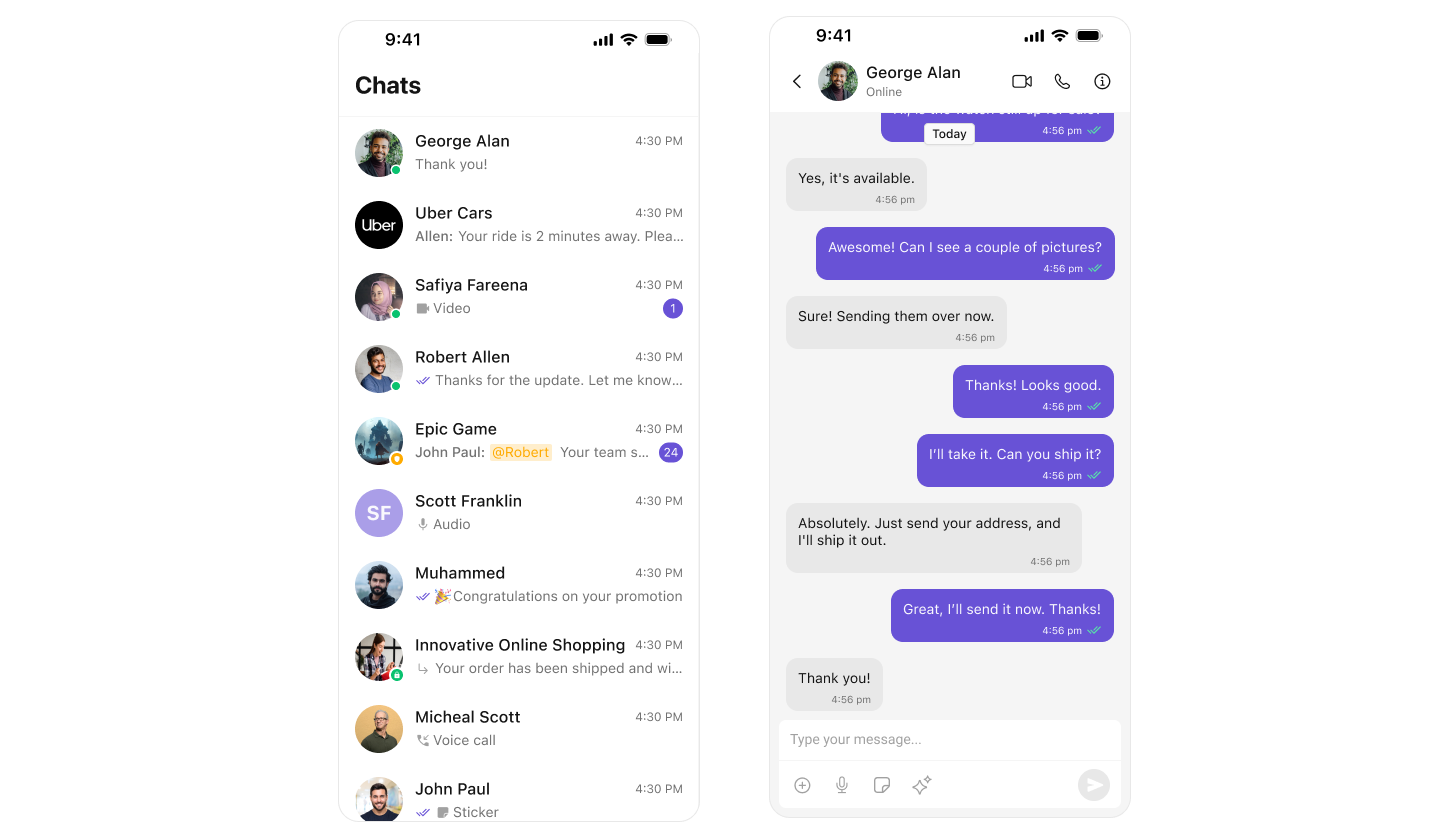
This is the default implementation shown in Step 4 above. Full Integration Guide →

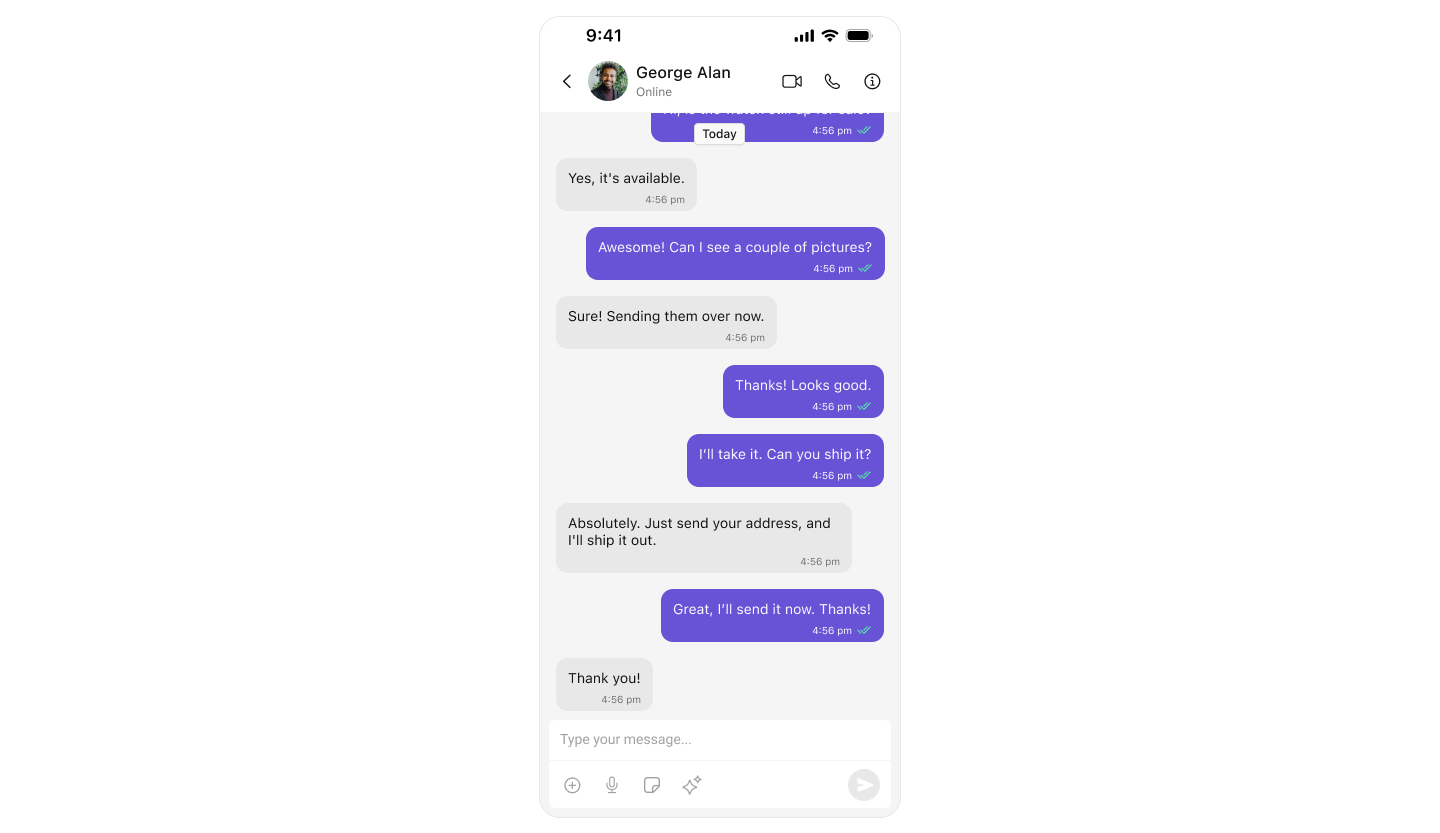
Option 2: Direct Chat

Open a chat directly with a specific user or group without showing a list.
import UIKit
import CometChatUIKitSwift
import CometChatSDK

class DirectChatViewController: UIViewController {
    
    override func viewDidLoad() {
        super.viewDidLoad()
        openChatWithUser(uid: "cometchat-uid-2")
    }
    
    func openChatWithUser(uid: String) {
        CometChat.getUser(UID: uid) { [weak self] user in
            DispatchQueue.main.async {
                let messages = CometChatMessages()
                messages.set(user: user)
                self?.navigationController?.pushViewController(messages, animated: true)
            }
        } onError: { error in
            print("Error: \(error?.errorDescription ?? "")")
        }
    }
    
    func openChatWithGroup(guid: String) {
        CometChat.getGroup(GUID: guid) { [weak self] group in
            DispatchQueue.main.async {
                let messages = CometChatMessages()
                messages.set(group: group)
                self?.navigationController?.pushViewController(messages, animated: true)
            }
        } onError: { error in
            print("Error: \(error?.errorDescription ?? "")")
        }
    }
}
Full Integration Guide →

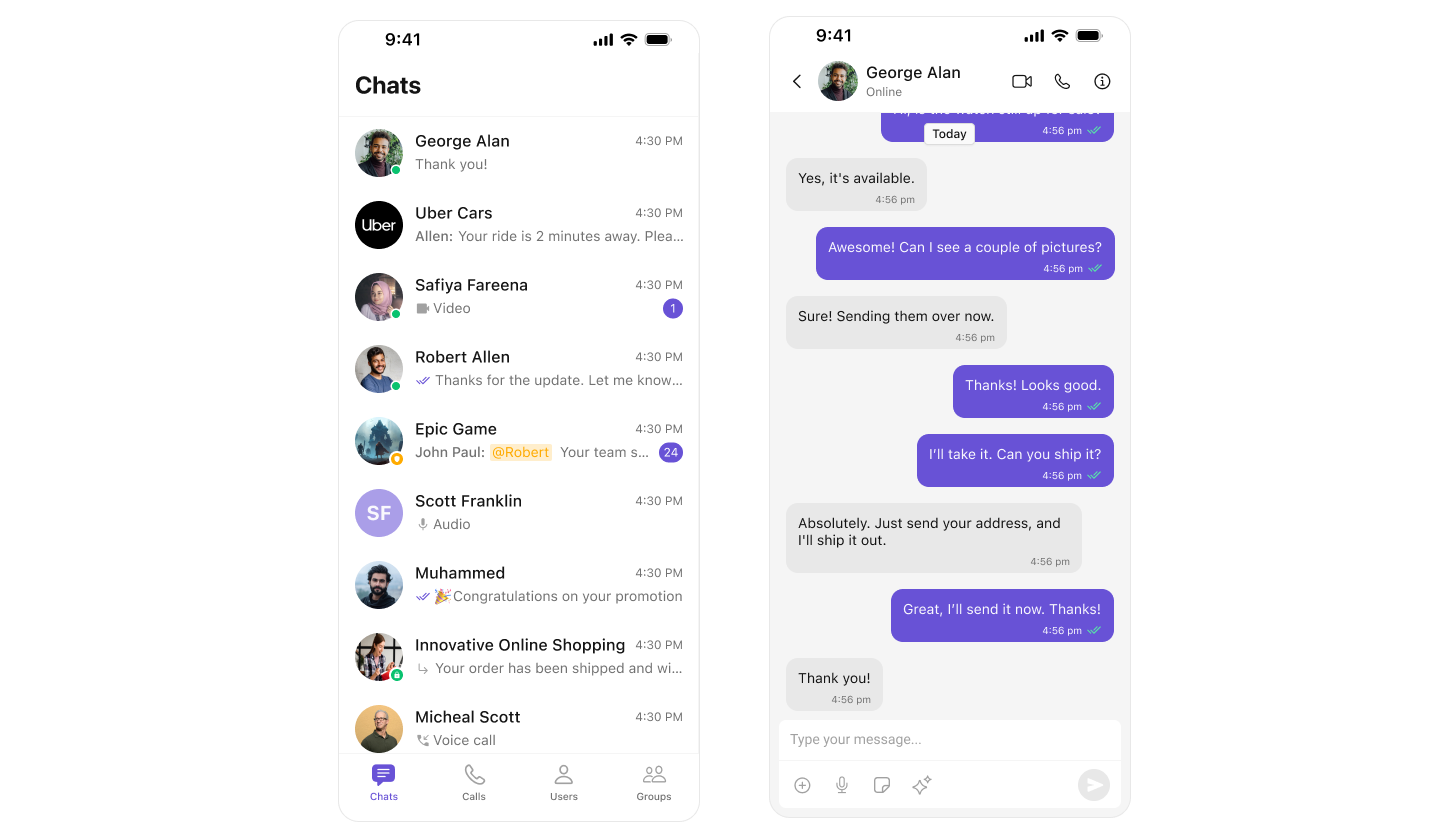
Option 3: Tab-Based Layout

Full-featured chat app with tabs for Chats, Users, Groups, and more.
import UIKit
import CometChatUIKitSwift
import CometChatSDK

class ChatTabBarController: UITabBarController {
    
    override func viewDidLoad() {
        super.viewDidLoad()
        setupTabs()
    }
    
    private func setupTabs() {
        // Chats Tab
        let chatsNav = UINavigationController()
        let conversations = CometChatConversations()
        conversations.set(onItemClick: { [weak chatsNav] conversation, _ in
            let messages = CometChatMessages()
            if let user = conversation.conversationWith as? User {
                messages.set(user: user)
            } else if let group = conversation.conversationWith as? Group {
                messages.set(group: group)
            }
            chatsNav?.pushViewController(messages, animated: true)
        })
        chatsNav.setViewControllers([conversations], animated: false)
        chatsNav.tabBarItem = UITabBarItem(
            title: "Chats",
            image: UIImage(systemName: "message"),
            selectedImage: UIImage(systemName: "message.fill")
        )
        
        // Users Tab
        let usersNav = UINavigationController()
        let users = CometChatUsers()
        users.set(onItemClick: { [weak usersNav] user, _ in
            let messages = CometChatMessages()
            messages.set(user: user)
            usersNav?.pushViewController(messages, animated: true)
        })
        usersNav.setViewControllers([users], animated: false)
        usersNav.tabBarItem = UITabBarItem(
            title: "Users",
            image: UIImage(systemName: "person.2"),
            selectedImage: UIImage(systemName: "person.2.fill")
        )
        
        // Groups Tab
        let groupsNav = UINavigationController()
        let groups = CometChatGroups()
        groups.set(onItemClick: { [weak groupsNav] group, _ in
            let messages = CometChatMessages()
            messages.set(group: group)
            groupsNav?.pushViewController(messages, animated: true)
        })
        groupsNav.setViewControllers([groups], animated: false)
        groupsNav.tabBarItem = UITabBarItem(
            title: "Groups",
            image: UIImage(systemName: "person.3"),
            selectedImage: UIImage(systemName: "person.3.fill")
        )
        
        viewControllers = [chatsNav, usersNav, groupsNav]
    }
}
Full Integration Guide →

Troubleshooting

IssueSolution
Pod install failsRun pod install --repo-update
Initialization failsVerify App ID, Auth Key, and Region are correct
Login failsCheck that the user exists in your CometChat dashboard
UI not displayingEnsure UI updates are on the main thread
Permissions deniedAdd all required keys to Info.plist
Collaborative features not workingDisable User Script Sandboxing in Build Settings

Next Steps
